
Table of Contents
Samsung Refrigerator Error Codes:
A complete diagnostic guide to fixing 4E, 5E, 22E, and communication errors without calling a technician.

Quick Fix: How to Clear Most Samsung Codes Instantly
Before you panic, try a Power Cycle (Hard Reset). Unplug your refrigerator for exactly 10 minutes. This clears the temporary memory of the control board. If the code returns immediately after plugging it back in, you have a real hardware issue. Below is the 2026 Emergency Dashboard to help you find the exact problem.
Troubleshooting Tip: If your error code specifically involves the ice tray, check out our Samsung Refrigerator Ice Maker Reset: The Ultimate 2026 Guide.
1. The 2026 Samsung Error Code Dashboard
In 2026, Samsung refrigerators (including Bespoke and Family Hub models) will use specific codes to tell you exactly what is wrong. Instead of searching through a huge manual, use this simple table to identify your problem.
| Error Code | The Symptom (What You See) | The Fix Level |
|---|---|---|
| 4E / 4C | No water from the dispenser or no ice. | Easy DIY |
| 5E / 5C | Water is pooling at the bottom; not draining. | Moderate DIY |
| 22E / 22C | The fridge is warm; the fan is making noise. | Technical |
| PC / Communication | Display is blinking or non-responsive. | Technical |
2. Group A: Water Supply & Drainage Errors
These are the most common issues. They usually happen because of a physical blockage, not because a computer chip is broken.
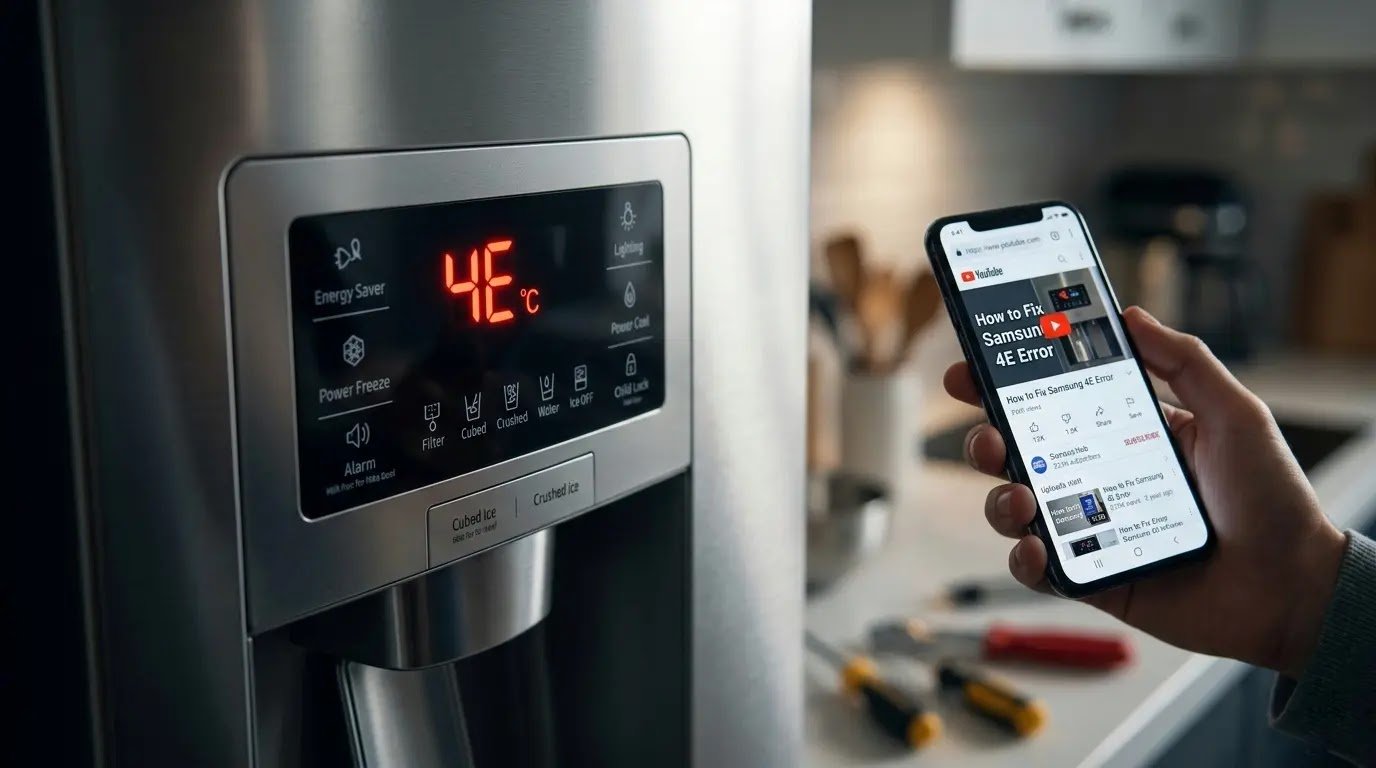
Error 4E / 4C: The Thirsty Fridge
Simple English Definition: This means the fridge is trying to pull in water but cannot feel any pressure. It’s like trying to drink through a pinched straw.
How to Fix 4E:
- Check the Supply Valve: Look behind the fridge. Ensure the blue or white water pipe is not twisted.
- The Filter Trap: If your Water Filter is clogged with sand or minerals, the fridge will throw this code. Try removing the filter and see if the code clears.
- Cold Weather Note: In winter, the pipe inside the fridge door can freeze. Try pointing a hair dryer (warm, not hot) at the dispenser for 2 minutes.
Pro Advice: A clogged filter is the #1 cause of 4E errors. See our Samsung Refrigerator Water Filter Guide: Everything You Need to Know.
Error 5E / 5C: The Drain Struggle

Simple English Definition: This code means water is stuck. Your fridge sweats during its cleaning cycle, and that water needs to go down a drain hole. If that hole is blocked by ice or food, it overflows.
Symptoms: You will see ice buildup on the floor of the freezer or water leaking out from under the vegetable drawers.
Related Fix: Many drain issues are caused by bad levelling. Read our guide on Counter-Depth Refrigerator Fit Issues to ensure your fridge is tilted back correctly for proper drainage.
Got a Leak? If you see water on your kitchen floor, follow my Samsung Fridge: Water Under Drawers? My Pro DIY Guide.
3. Group B: Cooling & Fan Failures (21E, 22E)
These errors are more serious. They affect the Temperature Stability of your food. If you see these codes, your milk might spoil within hours.
Error 22E / 22C: The Evaporator Fan Fail
Simple English Definition: The Evaporator Fan is the heart of the cooling system. It takes the cold from the metal coils and blows it into the fridge. If this fan stops (usually because ice is blocking it), the fridge gets warm while the freezer stays cold.
The Hair Dryer Trick (DIY Solution):
If you hear a chirping or grinding noise before the 22E code appears, there is ice hitting the fan. Unplug the fridge, open the back panel inside the fridge, and use a hair dryer to melt the ice buildup. This often fixes the error without buying new parts.
Cooling Failure? If your freezer is freezing but the fridge is warm, use these 3 Easy DIY Fixes for a Warm Samsung Fridge.
4. Using Samsung SmartThings Diagnosis
If you own a 2026 Samsung Bespoke or AI-enabled model, you don’t need to guess. The SmartThings App features a Home Care section.
- Digital Scan: Open the app, tap your refrigerator, then select Self-Diagnosis.
- AI Energy Mode: Sometimes the fridge displays a false error because it is trying to save too much energy. Turning off AI Energy Mode for 24 hours can often reset the sensors.
5. Group C: Communication & Logic Errors
Electronics are the brain of your Samsung refrigerator. Sometimes, this brain gets confused due to a power flicker or a loose wire. These errors look scary because the whole display starts blinking, but they are often easy to fix.
Error PC / CH: The Handshake Problem
Simple English Definition: PC stands for Communication Error. Imagine the door of your fridge trying to talk to the main computer at the back, but the phone line (wire) is broken. If they can’t talk, the display shows PC.
The 2-Minute Wire Check:
On top of your refrigerator door, there is a plastic cover. Unscrew it, and you will see a bundle of colourful wires. Disconnect the plastic plug, wait 30 seconds, and plug it back in tightly. In 90% of cases, this re-plugs the communication, and the error disappears.
Error 88 88 / Flickering Display
Simple English Definition: This is not exactly an error code; it’s a Logic Hang. It usually happens after a power cut. The computer is stuck in a loop and cannot start up properly.
The Fix: Do not just unplug it. You need to perform a Key Combination Reset. Press and hold the Energy Saver and Lighting buttons at the same time for 10 seconds. The display will beep, and the system will reboot.
6. Group D: Sensor Errors (1E, 2E, 25E)
Sensors are like the eyes of your fridge. They tell the computer if the milk is cold or if the ice tray is full. If a sensor goes blind, the fridge will either freeze everything or stop cooling entirely.
Error 25E: The Defrost Sensor Issue
Symptom: Your freezer is working fine, but there is heavy ice buildup on the back wall. This sensor is responsible for turning on the heater to melt extra ice. If the heater doesn’t turn on, the ice blocks the air paths.
Expert Logic: Most 25E errors happen because of a Thermal Fuse. Think of this as a safety switch that pops to prevent the fridge from catching fire. If it pops, the defrost heater stops working.
8. The Red Line: When DIY Fixing Must Stop
Error codes are warnings that a part is struggling. If you follow these 3 simple rules, you can avoid 80% of Samsung refrigerator repairs:
- The 6-Month Filter Rule: A clogged water filter makes the pump work 2 times harder. This leads to 4E (Water) and 1E (Ice) errors. Change your filter every 6 months without fail.
- Vacuum the Coils: Every year, pull the fridge out and vacuum the black coils (the condenser) at the back. If they are covered in dust, the Inverter Board will overheat and fail.
- Avoid Overstuffing: If you block the air vents inside with too many grocery bags, the 22E Fan Error will trigger because the air cannot move.
8. The Red Line: When DIY Fixing Must Stop
We love DIY fixes, but some things are dangerous. You should call a certified Samsung technician if:
- The Burning Smell: If you smell burning plastic, the main PCB (Motherboard) might be short-circuiting.
- The Sealed System: If the error involves Refrigerant Gas (leaking gas), you cannot fix this at home. It requires specialized tools and safety gear.
- Loud Metallic Clanging: This is a sign of a Compressor Valve failure. A compressor is the most expensive part of the fridge and is usually under a 10-year warranty.
Samsung Error Code FAQs
Q1: Will resetting the error code fix the actual problem?
Ans: No. Resetting the display only clears the message. If the underlying issue (like a frozen pipe or a dead fan) is still there, the code will return within 2 to 24 hours. A reset is only for glitches, not for broken parts.
Q2: What buttons do I press to reset a Samsung Bespoke fridge?
Ans: For most 2026 Bespoke models, you must use the Internal Touch Panel. Press and hold the ‘Door Alarm’ and ‘Fridge’ buttons for 5 seconds. If your model has no buttons on the outside, use the SmartThings app to trigger a Remote Restart.
Q3: Can a low voltage or power surge cause 88 88 errors?
Ans: Yes, absolutely. Samsung refrigerators are sensitive to dirty power. If the voltage in your house drops, the computer board may crash. Using a Surge Protector specifically designed for major appliances is highly recommended.
Q4: My fridge is showing AP. Is this an error?
Ans: No, AP stands for Access Point. This means the fridge is ready to connect to your Wi-Fi. You can clear this by pressing the Wi-Fi or Smart Control button for 3 seconds, or just leave it, and it will disappear after 15 minutes.
Final Diagnostic Verdict
In 2026, Samsung refrigerator error codes are your friend, not your enemy. They help you pinpoint a $50 DIY fix before it turns into a $500 repair bill. Always start with a Power Cycle, check your water lines, and use the SmartThings app for a digital second opinion. Your fridge is a smart machine; listen to what its codes are telling you.